Note: This is a copy of an article I posted on LinkedIn.
March 23, 2026
Last weekend I released my first vibe-coded app. It prompts users to upload a photo of people, then outfits everyone with a sharonH-branded safety helmet. I’m leaving it open to the public for a short while, so feel free to check it out. Be aware that since the app uses ‘deep thinking’ AI, it’s often slow.
This fun side project had serious professional roots. I originally envisioned the helmet imaging tool as a simple Gemini prompt to share with my instructional design co-workers so we could add branded corporate safety helmets to stock photos. This would give our team the flexibility to use stock, but still have content that reflected our company. It was very much a professional development experiment, as our work is restricted by IT-mandated Copilot-only prohibitions. While messing around, I discovered Google Gems, which are customized AI experts that you can build within Gemini to handle specific, recurring tasks. I thought a Gem would be a fun, easy way to share my work with a larger audience. Except, to get good results, the prompt needs to access Google Pro models. Gems pull from the user’s Google account, so any potential user would have to pony up the monthly fees for a Pro account. That prompted me to switch my tech stack. I opened a Google API account so I could directly access Google Pro. This included storage buckets, where I housed my reference images and HTML. And I tied everything together with n8n, a popular cloud-based low-code platform that connects different apps and services in node-based workflows.
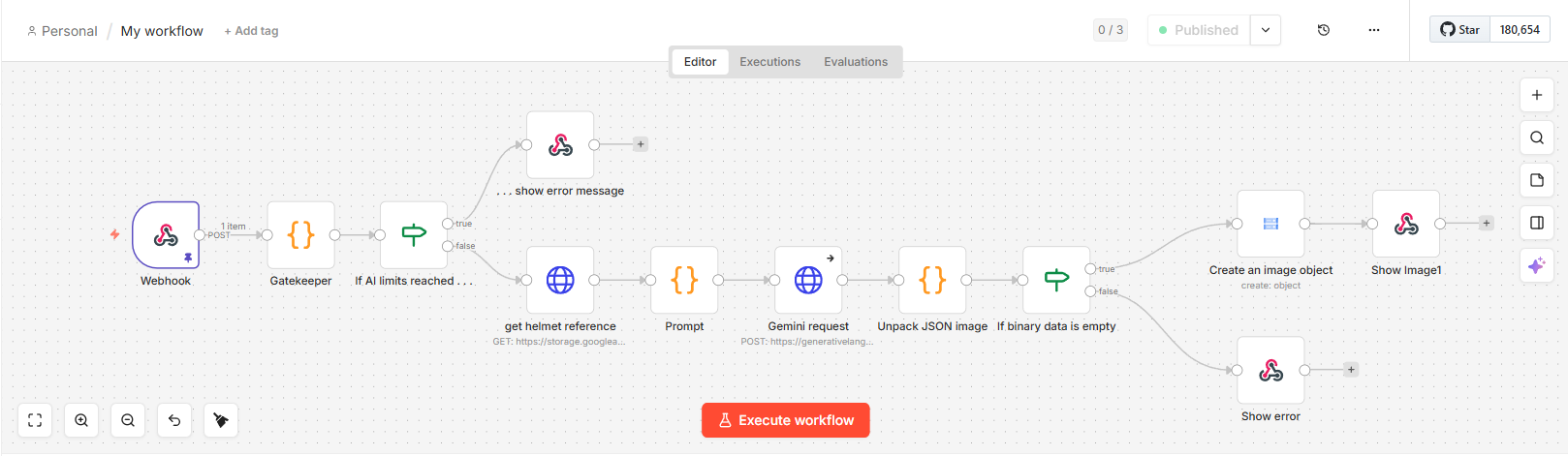
The n8n workflow for this project
After I had a decent beta, it became apparent I’d never be able to use the app in the office, so I switched the focus to a portfolio project: an HR-style “envision yourself working for us” recruitment app that pasted my portfolio logo on white safety helmets.
I shared the project with a few beta testers (family) this weekend, and so far everything is good, but testing did go in an unexpected direction. I thought I’d get nice photos of my family in safety helmets, but I wasn’t counting on helmet-wearing pets, chickens, stuffed animals, video game screenshots and artwork. I don’t know why I didn’t expect this. I grew up with these people!
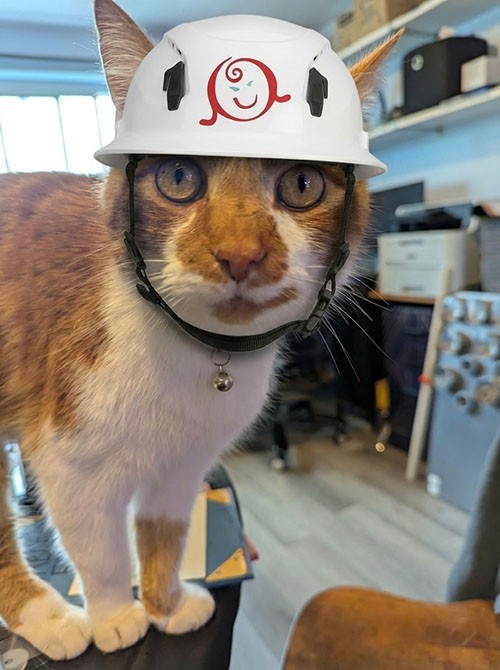
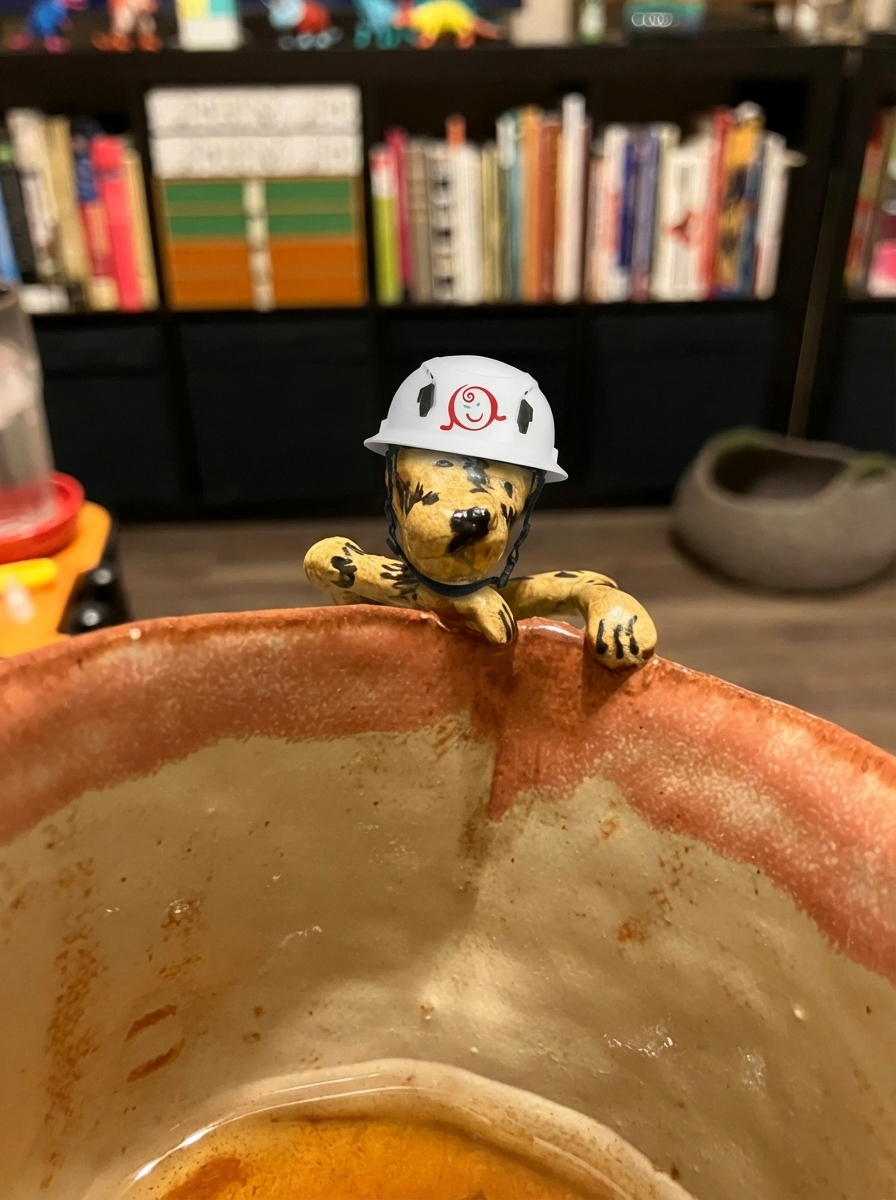
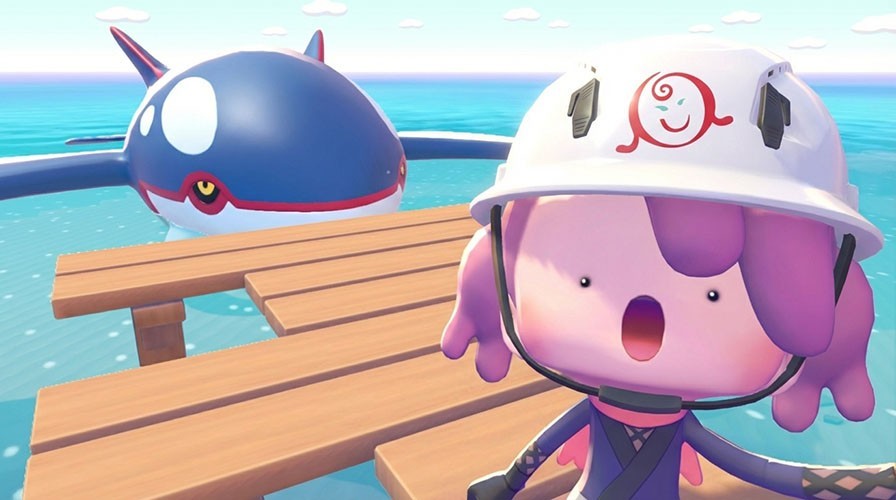
Boss the cat, a tea mug, and a Pokémon video game screenshot
Getting to the fun part meant overcoming many technical hurdles. I very much wanted to stretch my knowledge of AI by vibe coding the app from start to finish. I didn’t code anything by hand, which was honestly a relief, because while I can code, I’m nowhere near as good as a professional coder. I’d never used n8n or Google Cloud before, so Gemini had to teach me about these unfamiliar environments. I also let AI take over the website design, which is an area where I do have some expertise, after over 15 years of teaching college intro web design classes.
The project had many pain points.
Meta prompting is an art in itself. I wish this ZDNet article on AI coding practices had been published a week or two earlier, instead of at the end of my meta-prompting journey. Great stuff, I could have used it! Anyway, Gemini and I worked through an astounding 23 versions of our prompt, trying to handle all the edge cases I could think of, like “What if the subjects in the photo already have hard hats?” or “What if people in the photo have hair buns or ponytails?” I won’t say the final version is bullet proof – nothing AI-generated is ever bulletproof – but I think it’s a strong, well-constructed prompt validated on dozens of photos.
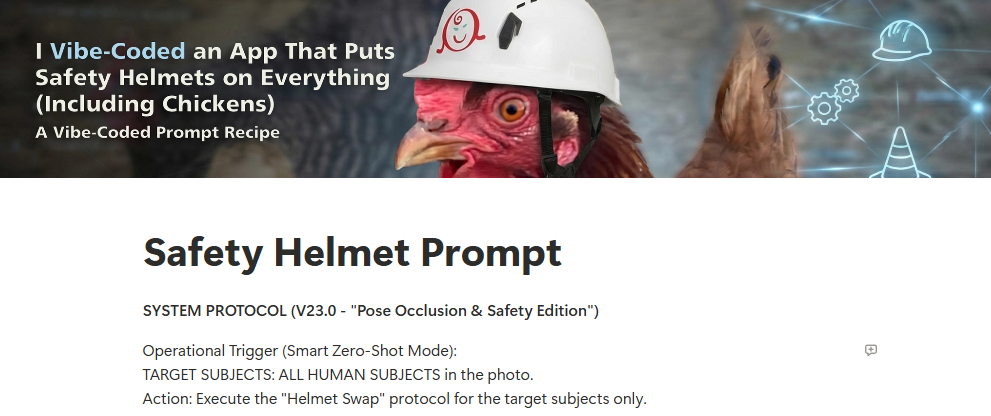
Download the full prompt from Notion.
The current state of AI caused problems. Gemini constantly forgot what our workflow looked like, what our prompt said, etc. Getting the prompts right was an EXERCISE. The biggest help was to tell Gemini that I wanted it to regenerate the prompt in full every time we made a change. And I spent lots of time asking Gemini to compare the new prompt to the old prompt to make sure details weren’t lost. When working with n8n, Gemini couldn’t remember what version I was using, so it often gave me outdated instructions.
Model confusion caused issues. Originally, Gemini selected its Gemini 2.5 Pro model. I didn’t know enough about the different models to question that decision. As it turns out, that model compresses the prompt you give it, then hands the prompt over to specialized image processing models for image generation. It can’t return images (only text) which is a fail for this app. While I was thinking about this limitation, Google introduced Gemini 3 Pro Image Preview, which accepts text input and can return images, so we just updated a URL and moved on with the project.
Unacceptable logos almost killed the project. In early versions of the prompt, Gemini would often paint the logo on the helmet. But Gemini wasn’t great at painting. The logos were often skewed and unreadable, which would never be acceptable for professional use. I finally achieved better results when I changed the prompt language to forbid painting and told Gemini to apply the logo like a “stiff decal.” But the real breakthroughs happened almost simultaneously. Gemini 3 Pro Preview is much better at working with logos than Gemini 2, so that switch helped. I also took a break from the project to play with AI video generators. In the process, I discovered video artists used multi-shot reference images to maintain consistency in their projects. I quickly had Gemini create a white helmet on a featureless mannequin head (facial features in earlier reference photos caused problems) and add my logo.
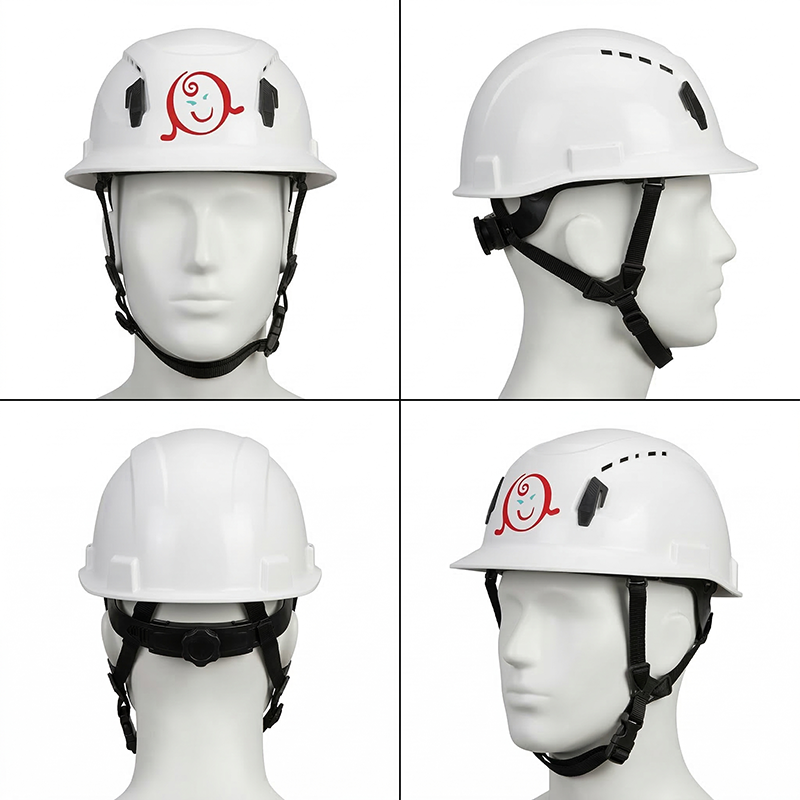
Gemini-generated helmet reference
n8n shortcomings disappointed me. I particularly struggled with the Google API integrations. I wanted to limit the number of image generations so the app would shut down if it received a bunch of requests, to keep it from blowing through my API budget. Hard limits are coming to Google Cloud, but aren’t available yet, so after back-and-forth with Gemini I decided to add a text file with a number that we’d increment every time a user generated an image. Once the limit was reached, the app would close down. I tried So. Many. Ways. to get n8n to read a file that contained one tiny number. It never worked. After some back-and-forth Gemini informed me that n8n’s implementation for Cloud and Drive weren’t reliable, especially for tiny files. After more back-and-forth, Gemini revealed n8n will allow me to store data that can persist between sessions!! I don’t know why Gemini didn’t lead with this idea. Maybe I told it what the game plan was, and it tried to adopt the best approach for my suggestion. Anyway, after two miserable days of beating my head against the API wall, we solved the issue and moved forward.
More n8n shortcomings. My original incarnation of the app had an optional instruction box so co-workers could augment the prompt with extra instructions, like “Only give the female a safety helmet.” In testing, I discovered n8n’s Gemini Edit Image connector doesn’t allow developers to set Gemini’s safety filters. This means anyone could generate images that, for example, depict bodily harm. We had to replace the node with a custom webhook instead, to make sure the protections were in place. Later, when I decided to reorient the project as a recruitment app, I removed the instructions field as a responsible business would never leave themselves open to that type of risk.
Painful memory issues crashed the app many times. The root cause proved to be the high-resolution stock images users uploaded. n8n couldn’t handle that bandwidth, especially not within its 60-second processing window, so the app crashed. After struggling with Gemini’s solutions for a while, I suggested we resize the image on the client side and upload a smaller 1024px max image to n8n. This worked fine. If I was using this as an instructional design tool that wouldn’t work because we need high resolution output from Gemini, but it’s just fine for a fun HR marketing tool.
The design decisions Gemini made are acceptable, but there’s room for improvement. The app’s White Glassmorphism look maintains a clean, professional tech aesthetic similar to macOS Big Sur and Windows 11. Gemini had issues with color and contrast sometimes, so I had to prompt for tweaks. I was 100% hands-off on the code, aside from pasting Gemini’s updates as the look changed. If this were a design exercise, I’d spend more time personalizing the code, but for a tech demo I’m fine with it.
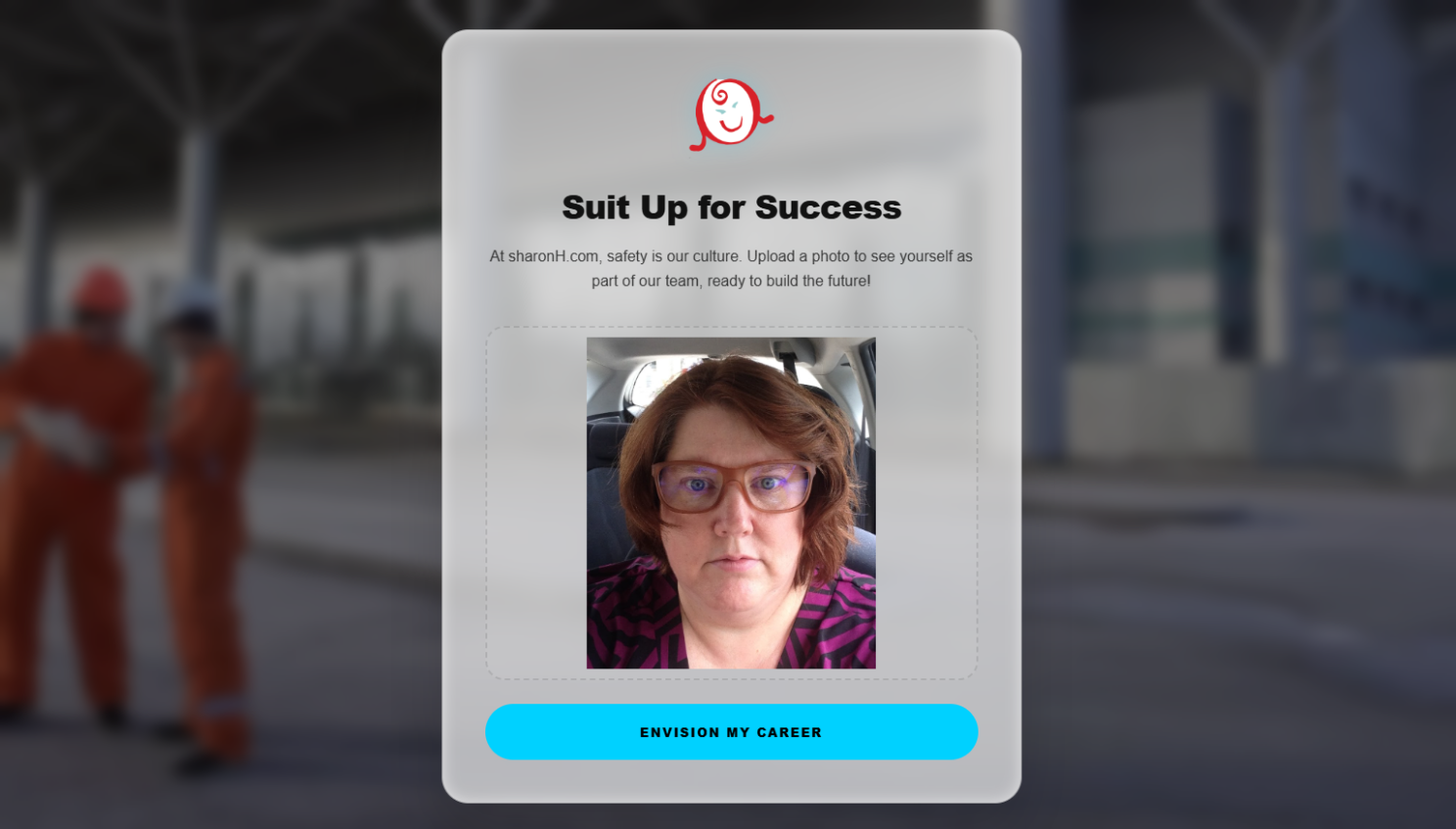
The finished website
It would be easy to say Gemini built this app. It certainly sped up the process. If I had tried to write this alone, I’d have spent days on Stack Overflow researching issues and being sidetracked down false but promising paths.
But working on this made it clear that a “human in the loop” is essential. Someone had to drive the process, make decisions, and prompt AI to reconsider actions when encountering roadblocks. This human evolved the project from a team design tool to an HR app. This human realized we needed client-side code to fix the memory issues. This human the person who said “Hey, we need safety protocols so we don’t generate controversial images.” And, hey, this human wrote this article, because when I asked Gemini for a breakdown of pain points it listed a bunch of things that weren’t that painful. Oh, some were on target, but many of big key decisions that dictated how the app evolved weren’t on its radar. In the end, AI offered input, but the insight, responsibility, and judgment that guided the work were unmistakably human.